
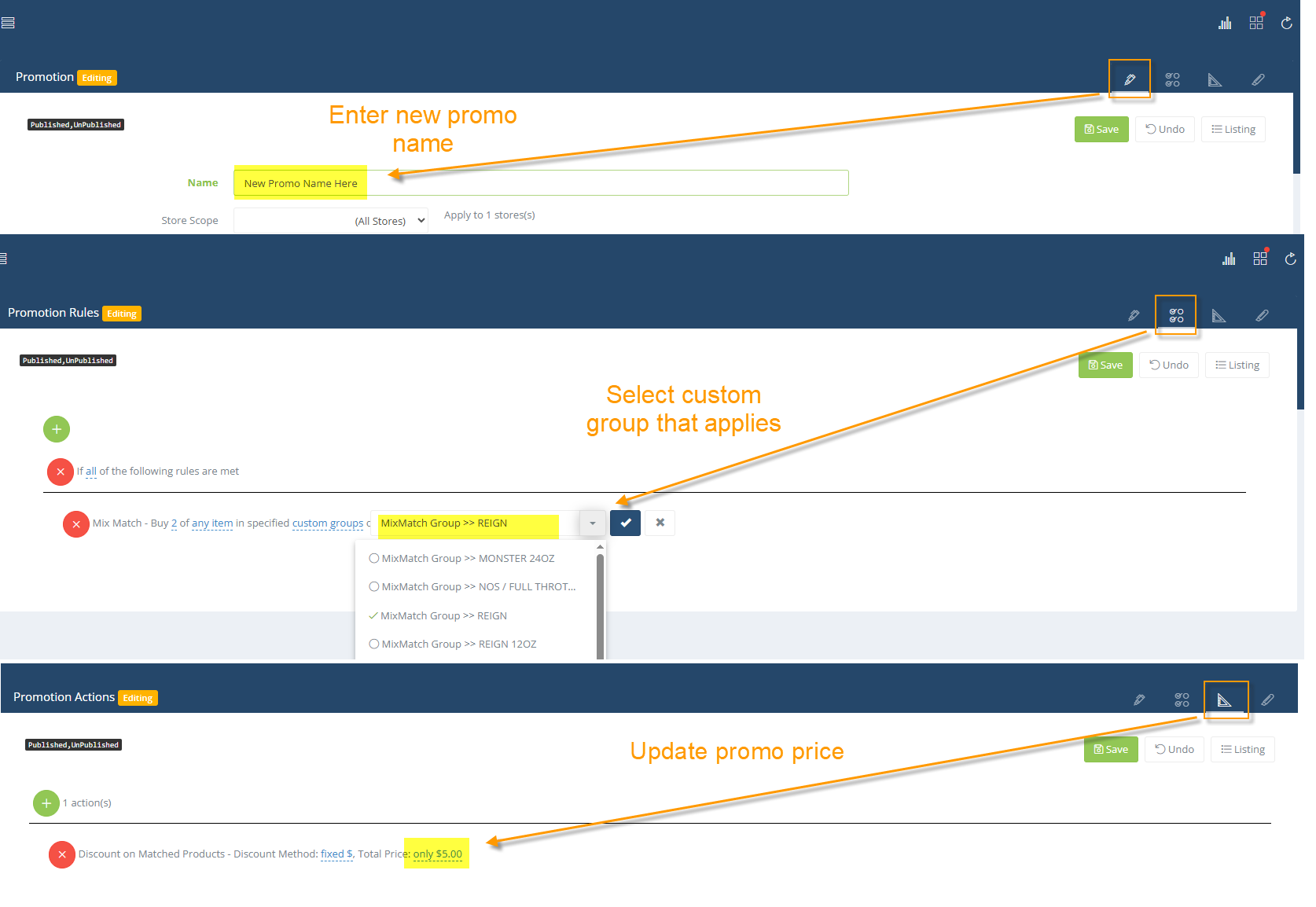
The easiest way to create a new mix n match is to clone from an existing (like Reign 2 for 5). Then you just have to work your way through the 3 tabs to update/change the information: name, custom group and price.
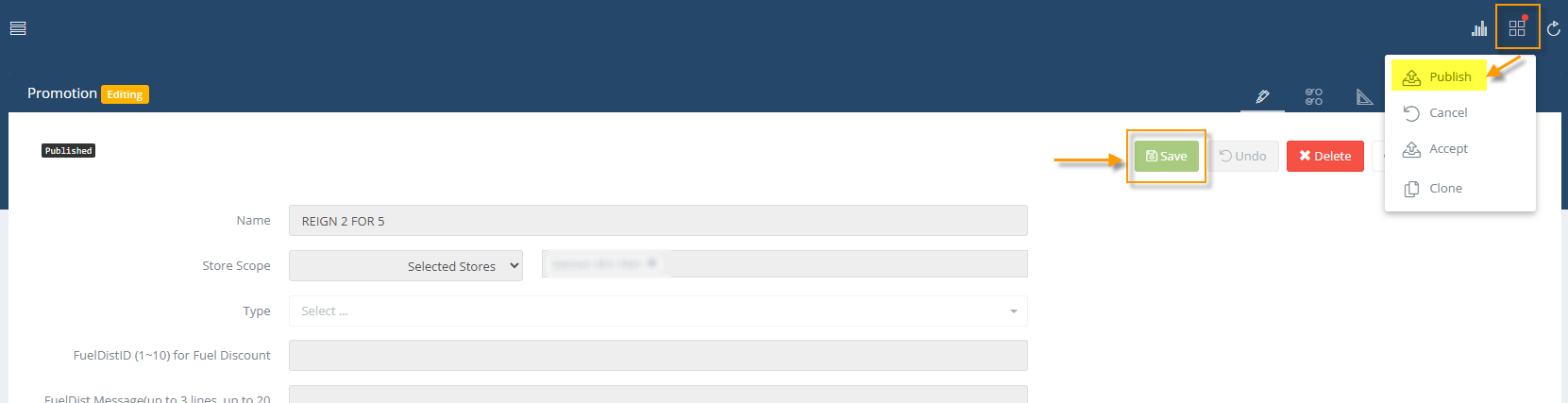
Once you clone and update the promo, then you just have to save and publish to the pos to finish.
Here are some screenshots to illustrate:
Step 1: Open existing promo and CLONE (open Reign 2 for 5, for example)
Step 2: Work your way through the 3 tabs to update/change the information: name, custom group and price.
Step 3: Save and publish to the pos to finish
