
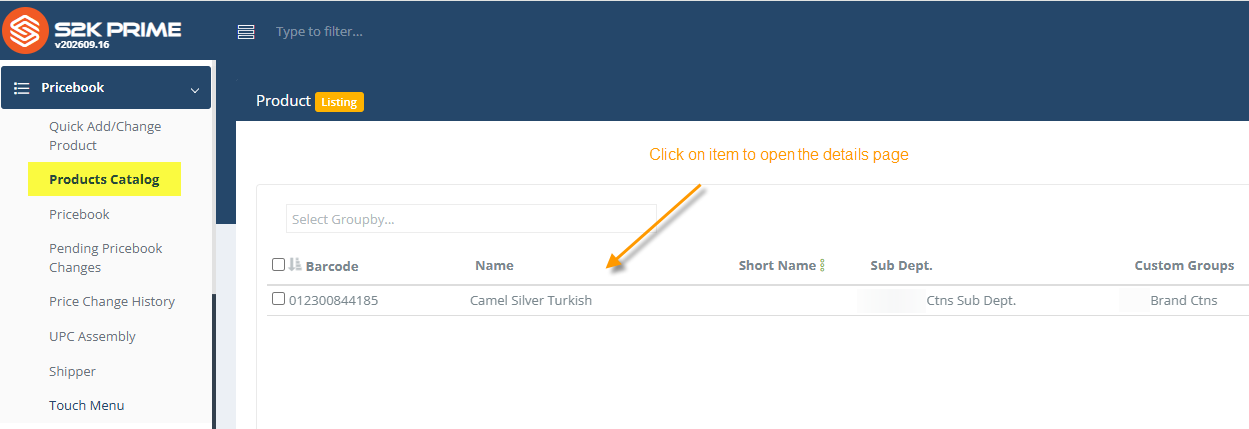
1. Go to Products Catalog to search for the item and click on it to open:
2. Click vendor dropdown arrow to open the vendor sku window: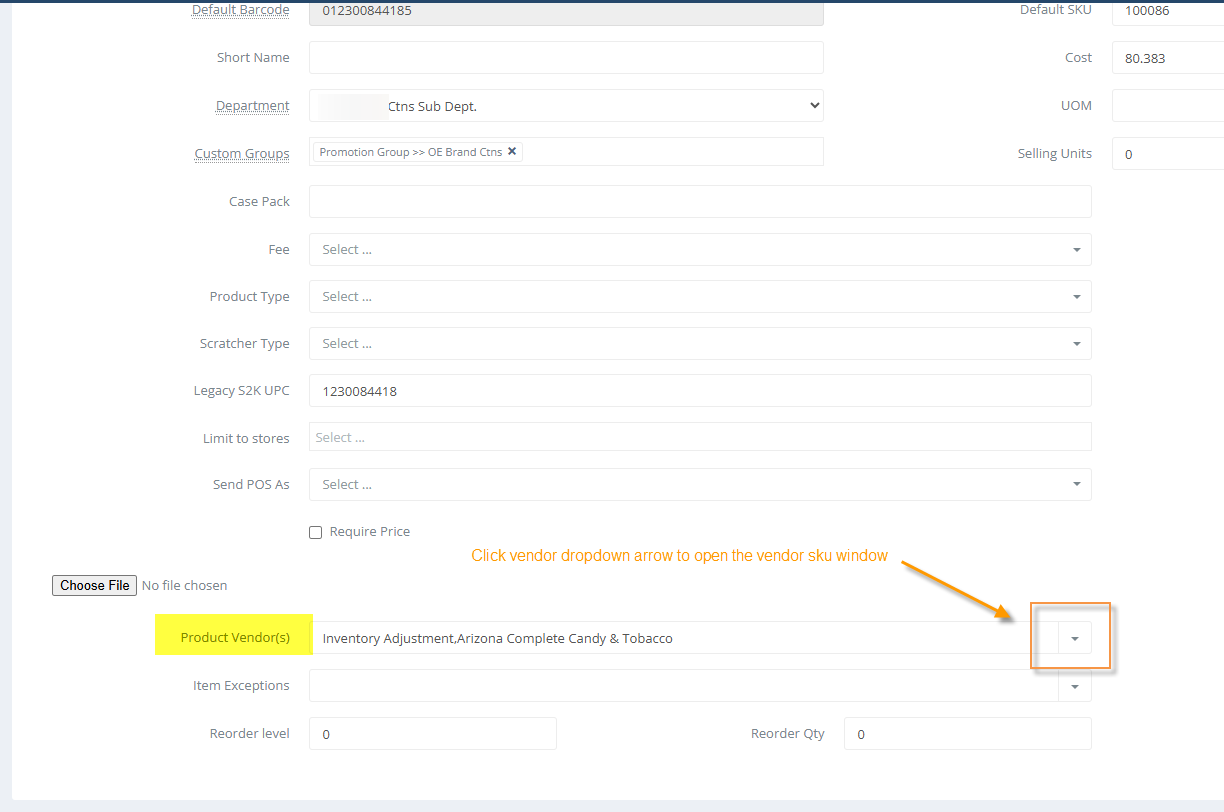
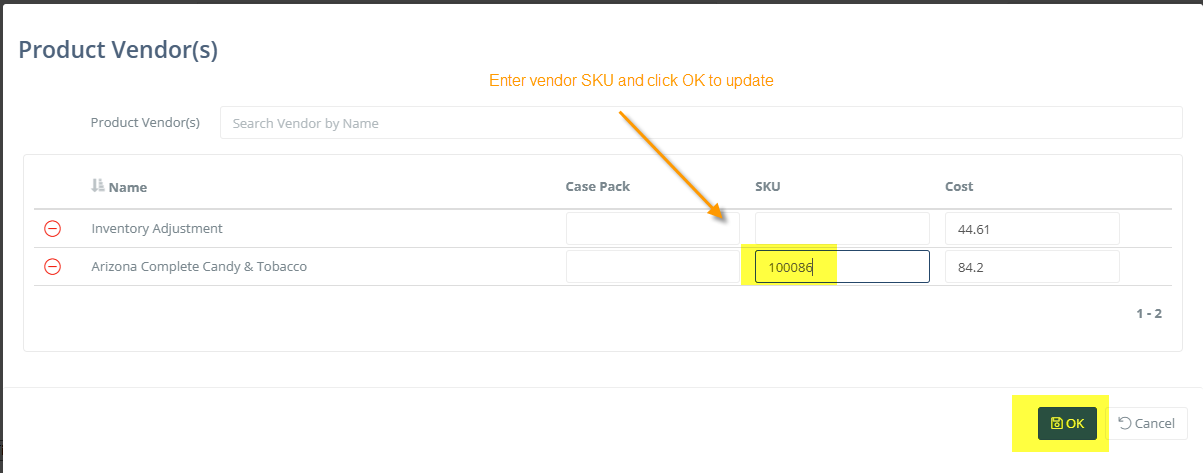
3. Enter vendor SKU and click OK to update:
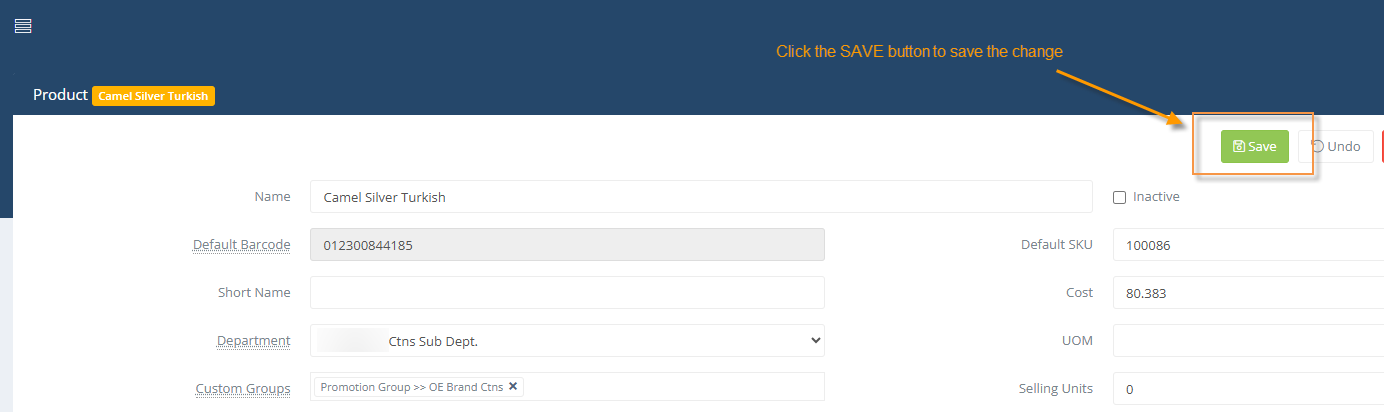
4. Click the SAVE button to save the change
5. Be sure to refresh the full web browser for Prime once the vendor skus have been added, so they are available to use on the invoice.
Thank you!